Introduction
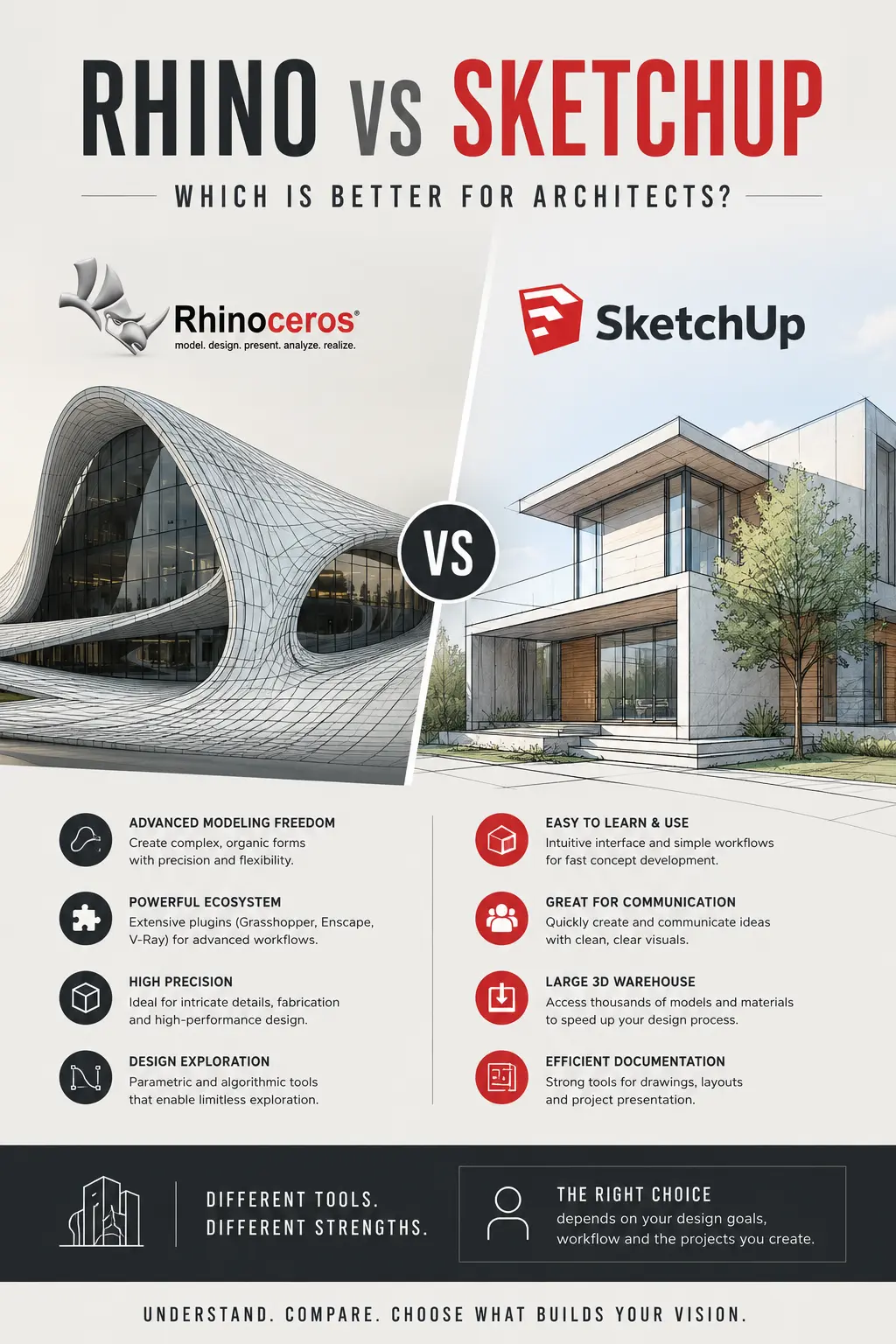
The debate around Rhino vs SketchUp has become increasingly important as architecture firms, industrial designers, interior designers, urban planners, and visualization studios continue to demand faster workflows, stronger interoperability, and higher precision in digital modeling environments. While both tools dominate different corners of the 3D design ecosystem, choosing the right platform directly impacts productivity, rendering efficiency, collaboration, scalability, and long-term operational costs.
This research-driven comparison evaluates Rhino and SketchUp across performance benchmarks, design flexibility, rendering capabilities, BIM integration, computational design, plugin ecosystems, learning curves, pricing structures, and industry adoption.
Official Platforms:
- Rhino 3D: https://www.rhino3d.com/
- SketchUp: https://www.sketchup.com/
Rhino vs SketchUp: Core Software Philosophy
Rhino: Precision-Driven NURBS Modeling for Advanced Design Workflows
Rhino, developed by Robert McNeel & Associates, is fundamentally built around NURBS (Non-Uniform Rational B-Splines) modeling. This makes it exceptionally effective for industries requiring mathematically accurate geometries, including:
- Parametric architecture
- Industrial product design
- Automotive surfacing
- Marine design
- Computational fabrication
- Jewelry design
- Complex facade systems
Rhino’s architecture supports extreme geometric flexibility while maintaining surface continuity and fabrication-ready precision.
Rhino Documentation: https://www.rhino3d.com/features/
Grasshopper Computational Design: https://www.grasshopper3d.com/
SketchUp: Speed-Focused Polygonal Modeling for Rapid Visualization
SketchUp, owned by Trimble, prioritizes accessibility, speed, and intuitive modeling workflows. The software is widely adopted among:
- Residential architects
- Interior designers
- Landscape designers
- Real estate visualization teams
- Construction professionals
- Furniture designers
SketchUp’s polygonal modeling engine enables users to create conceptual environments rapidly with minimal onboarding.
SketchUp Features: https://www.sketchup.com/en/products/sketchup-for-desktop
SketchUp 3D Warehouse: https://3dwarehouse.sketchup.com/
Rhino vs SketchUp: User Interface and Learning Curve Analysis
SketchUp Dominates Beginner Accessibility
One of SketchUp’s largest competitive advantages is its low learning curve. The interface prioritizes simplicity through:
- Push/Pull modeling
- Minimal toolbar complexity
- Fast camera navigation
- Intuitive geometry creation
- Rapid scene iteration
For small firms and freelancers needing immediate productivity, SketchUp significantly reduces onboarding time.
SketchUp Learning Center: https://learn.sketchup.com/
Observation
Most users achieve operational competency in SketchUp within days rather than weeks. This directly lowers training costs and accelerates project deployment timelines.
Rhino Requires Technical Investment but Scales Further
Rhino’s interface is considerably deeper and more technical. Users encounter:
- Complex curve tools
- Surface continuity workflows
- Advanced mesh management
- Parametric scripting systems
- Precision control systems
The initial learning phase is longer; however, Rhino provides exponentially greater scalability for advanced workflows.
Rhino Training Resources: https://www.rhino3d.com/learn/
Observation
While Rhino demands higher technical commitment, firms operating on large-scale computational workflows typically recover the learning investment through automation, scripting, and fabrication optimization.
Modeling Capabilities: Rhino vs SketchUp
Rhino Excels in Complex Geometry Generation
Rhino’s NURBS-based architecture enables mathematically precise curves and surfaces impossible to efficiently generate inside SketchUp.
Key strengths include:
- Double-curved surfaces
- Parametric facades
- Organic structures
- Fabrication-ready geometries
- Advanced surfacing continuity
- Generative architecture
This makes Rhino particularly dominant in computational architecture and industrial product development.
Rhino Geometry Tools: https://docs.mcneel.com/rhino/
Industry Relevance
Architectural firms developing stadiums, airports, museums, and parametric facade systems overwhelmingly rely on Rhino due to geometric freedom.
SketchUp Performs Better for Fast Conceptual Modeling
SketchUp excels when speed matters more than geometric sophistication.
Ideal use cases include:
- Residential layouts
- Interior concepts
- Urban massing
- Retail visualization
- Client presentations
- Fast construction mockups
SketchUp’s Push/Pull system enables rapid volume creation that remains highly intuitive even for non-technical stakeholders.
Observation
For early-stage ideation and client-facing conceptual workflows, SketchUp often outperforms Rhino in raw modeling speed.
Rhino vs SketchUp for Architecture Workflows
Rhino Dominates Computational and Parametric Architecture
Rhino’s integration with Grasshopper transforms it into one of the most powerful computational design ecosystems available.
Grasshopper enables:
- Algorithmic modeling
- Parametric automation
- Environmental simulations
- Structural optimization
- Generative design
- Digital fabrication pipelines
Grasshopper Plugin Ecosystem: https://www.food4rhino.com/
Leading architecture firms utilize Rhino and Grasshopper extensively for advanced building systems and responsive architecture.
Research Insight
Rhino’s computational ecosystem has become deeply embedded within elite architectural workflows due to its ability to automate repetitive modeling operations while generating high-performance geometries.
SketchUp Prioritizes Practical Construction Communication
SketchUp’s strength lies in communication simplicity.
Key advantages include:
- Fast construction diagrams
- Easy stakeholder reviews
- Simple material assignments
- Real-time conceptual feedback
- Accessible collaboration
Construction professionals often prefer SketchUp for translating concepts into understandable visual narratives.
SketchUp for Construction: https://www.sketchup.com/industries/construction
Rendering and Visualization Performance
Rhino Supports High-End Visualization Pipelines
Rhino integrates effectively with advanced rendering engines such as:
- V-Ray for Rhino
- Enscape
- Twinmotion
- KeyShot
- Lumion
- Octane Render
V-Ray for Rhino: https://www.chaos.com/vray/rhino
Enscape: https://enscape3d.com/
Twinmotion: https://www.twinmotion.com/
Rhino’s precision modeling environment allows highly detailed rendering preparation suitable for cinematic architectural visualization.
SketchUp Offers Faster Real-Time Rendering Adoption
SketchUp integrates seamlessly with:
- V-Ray
- Enscape
- Lumion
- D5 Render
- Twinmotion
D5 Render: https://www.d5render.com/
Lumion: https://lumion.com/
Because SketchUp geometry remains lightweight, real-time rendering workflows are generally easier for beginner visualization teams.
Observation
SketchUp frequently achieves faster visualization deployment for small-to-medium studios focused on presentation efficiency rather than geometric sophistication.
Rhino vs SketchUp Plugin Ecosystem
Rhino Plugin Ecosystem Prioritizes Technical Expansion
Rhino’s plugin environment is deeply technical and innovation-focused.
Notable plugin categories include:
- Environmental analysis
- Structural engineering
- Parametric systems
- Fabrication optimization
- Robotics integration
- Generative workflows
Food4Rhino Marketplace: https://www.food4rhino.com/
Popular Rhino plugins include:
- Kangaroo Physics
- Ladybug Tools
- Weaverbird
- LunchBox
- Karamba3D
Ladybug Tools: https://www.ladybug.tools/
Karamba3D: https://www.karamba3d.com/
Research Insight
Rhino’s ecosystem strongly supports research-oriented and computationally advanced design environments.
SketchUp Plugin Ecosystem Focuses on Productivity
SketchUp’s Extension Warehouse contains thousands of workflow-focused plugins.
Extension Warehouse: https://extensions.sketchup.com/
Popular plugin categories include:
- Rendering tools
- Construction documentation
- Furniture libraries
- Productivity automation
- Material systems
- BIM enhancement
Observation
SketchUp’s extension environment favors speed optimization and operational convenience rather than computational experimentation.
BIM and Interoperability Comparison
Rhino Delivers Strong Advanced Interoperability
Rhino supports extensive interoperability with:
- Revit
- AutoCAD
- Blender
- Unreal Engine
- SolidWorks
- CATIA
- Maya
Rhino Inside Revit: https://www.rhino3d.com/features/rhino-inside/
Unreal Engine Datasmith: https://www.unrealengine.com/
Rhino’s interoperability capabilities make it extremely effective within multidisciplinary design ecosystems.
SketchUp Simplifies BIM Communication
SketchUp integrates effectively with Trimble’s ecosystem and common architecture workflows.
Primary strengths include:
- IFC support
- LayOut documentation
- Construction communication
- Revit interoperability
- Quantity takeoffs
SketchUp LayOut: https://www.sketchup.com/products/layout
Observation
SketchUp works exceptionally well for lightweight BIM coordination but lacks Rhino’s advanced computational interoperability depth.
Performance Benchmarks and Hardware Utilization
Rhino Requires Stronger Hardware for Advanced Workflows
As project complexity increases, Rhino becomes substantially more resource-intensive.
High-demand workflows include:
- Grasshopper scripting
- Dense NURBS operations
- Large mesh processing
- Simulation pipelines
- Fabrication geometry
Rhino System Requirements: https://www.rhino3d.com/7/system-requirements/
SketchUp Operates Efficiently on Mid-Range Systems
SketchUp generally performs well on:
- Mid-range laptops
- Consumer GPUs
- Standard office workstations
SketchUp System Requirements: https://help.sketchup.com/en/sketchup/system-requirements